Introducing the JS Time Machine

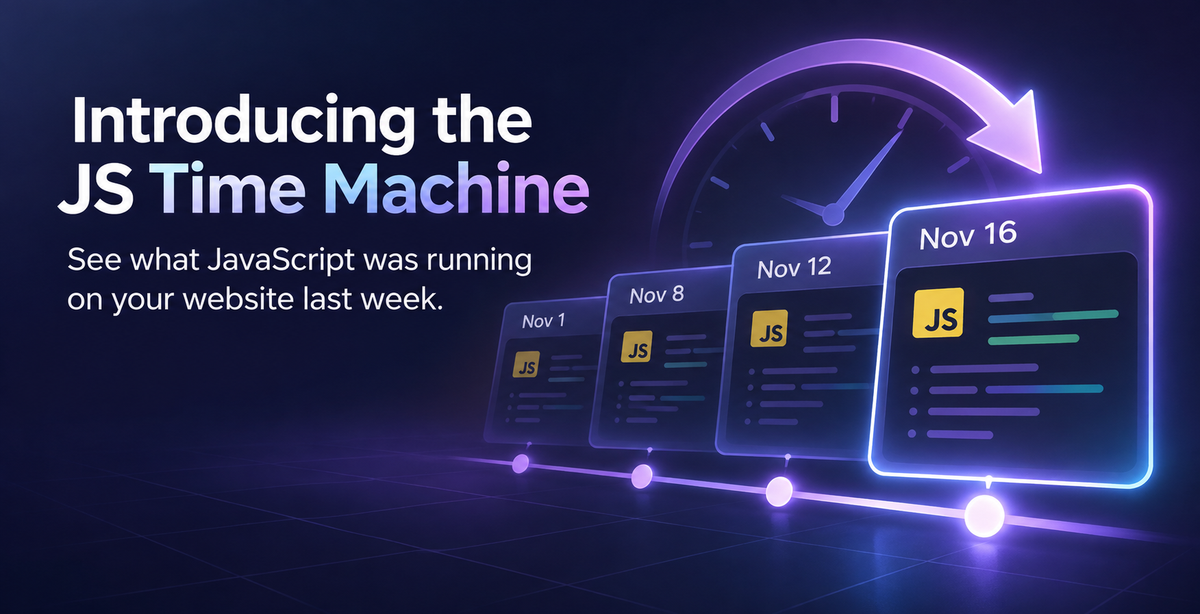
For any third-party script on your website, you can inspect the code it contains right now, but do you know what code it contained last week?
For almost every site on the Web, nobody can answer that question. The URL to fetch the script is the same, but each time you fetch it, you don't know if the content is the same as last time. It could have changed since this morning, since yesterday, or since last week, and you wouldn't know.
Today, I'm very excited to announce that we're launching the JS Time Machine in open beta. The JS Time Machine gives you the ability to pick a JavaScript file on your site and go back in time to see what previous versions looked like, and see what changed.
A URL Is Not a File
We talk about scripts by their URL, but a URL is only an address where you can go and fetch a file from.
<script src="https://cdn.example.com/js/app.js"></script>That URL tells the browser where to go and fetch the file from, but it says nothing about what that file should contain. The contents of that file can change, and they often do as part of normal operation, but it means you don't know what code is running on your website, or, what code was running on your website. If you had a data breach or some form of incident, and somebody asked you what code you were running on your website last month, could you tell them?
What the JS Time Machine Shows You
The JS Time Machine uses one of our most powerful features, CSP Integrity, and it only takes seconds to set up on your website. The visitors' browser sends us the cryptographic fingerprint of each JavaScript file it loaded on your site, and that allows us to fetch and archive a copy of that file, with absolute certainty that we have the exact file that your user was served. Here's what CSP Integrity looks like in the dashboard:
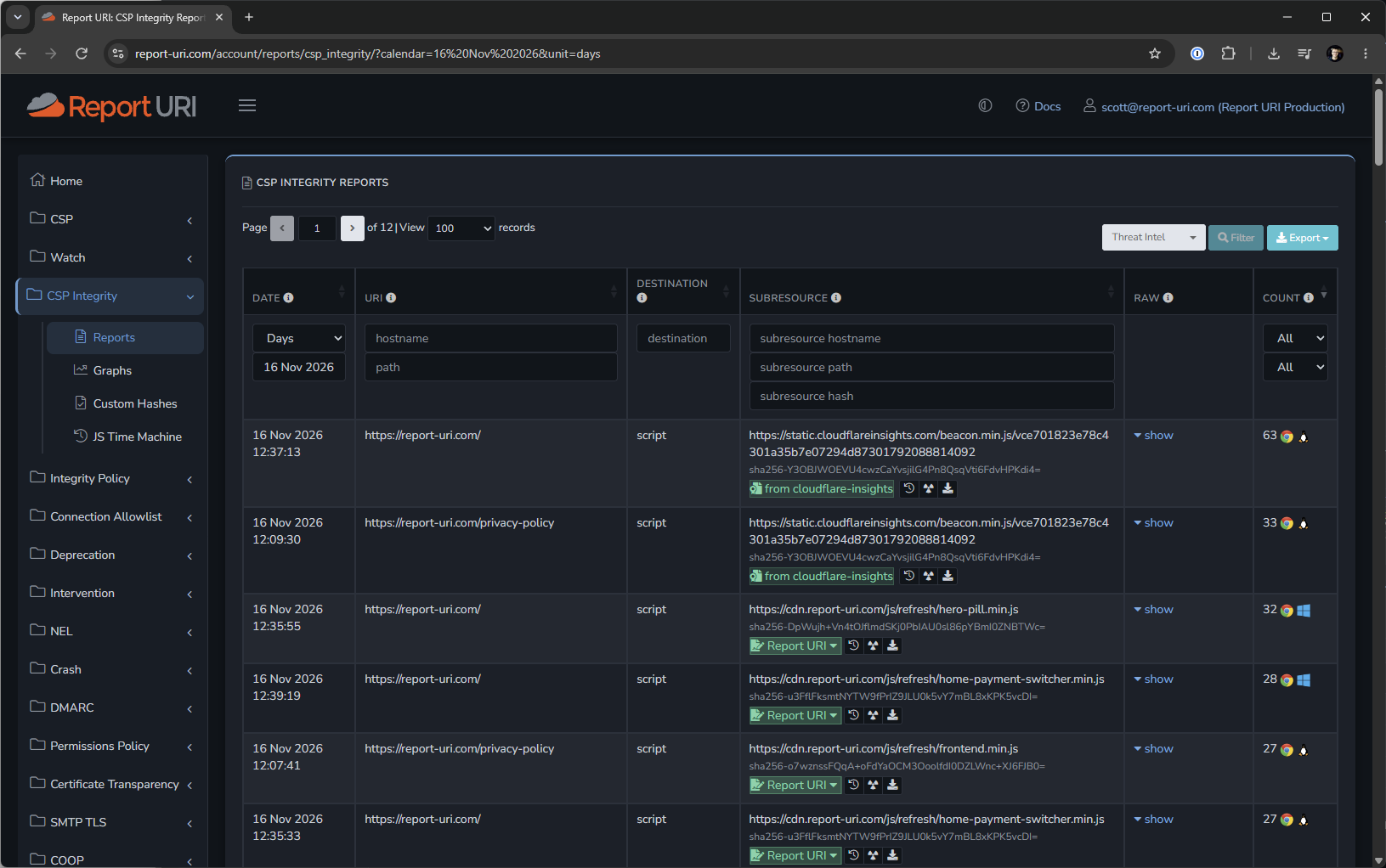
Zooming in a little, you can see the sha256 fingerprint of each JS file, which is what we use to uniquely identify each version of a file.
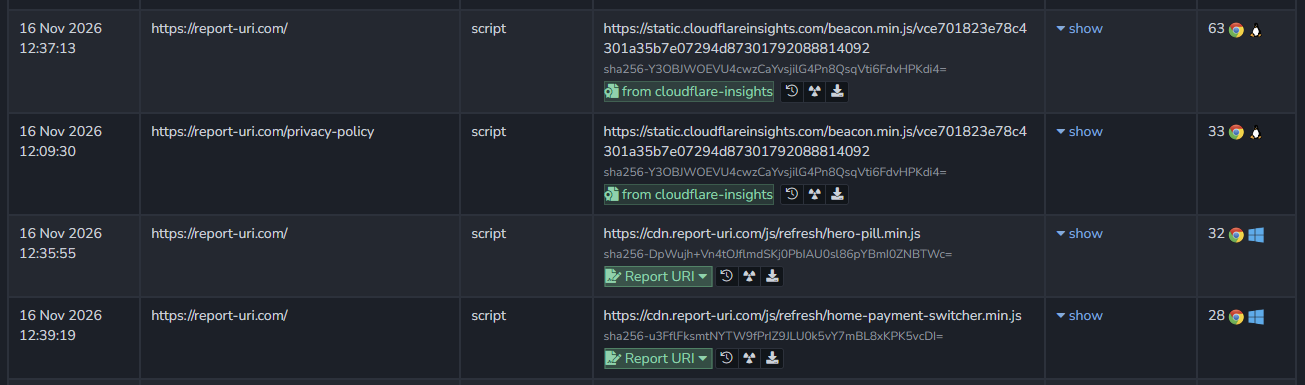
With this monitoring in place over time, we can detect each time the file changes, and keep a history of all versions. Clicking the 'history' icon next to a script file will open it up in the JS Time Machine.
Viewing the History of a JS File
If we take a look at our frontend.min.js file, something we change more frequently than others, we can see the following changes to this file as having been recorded in November.
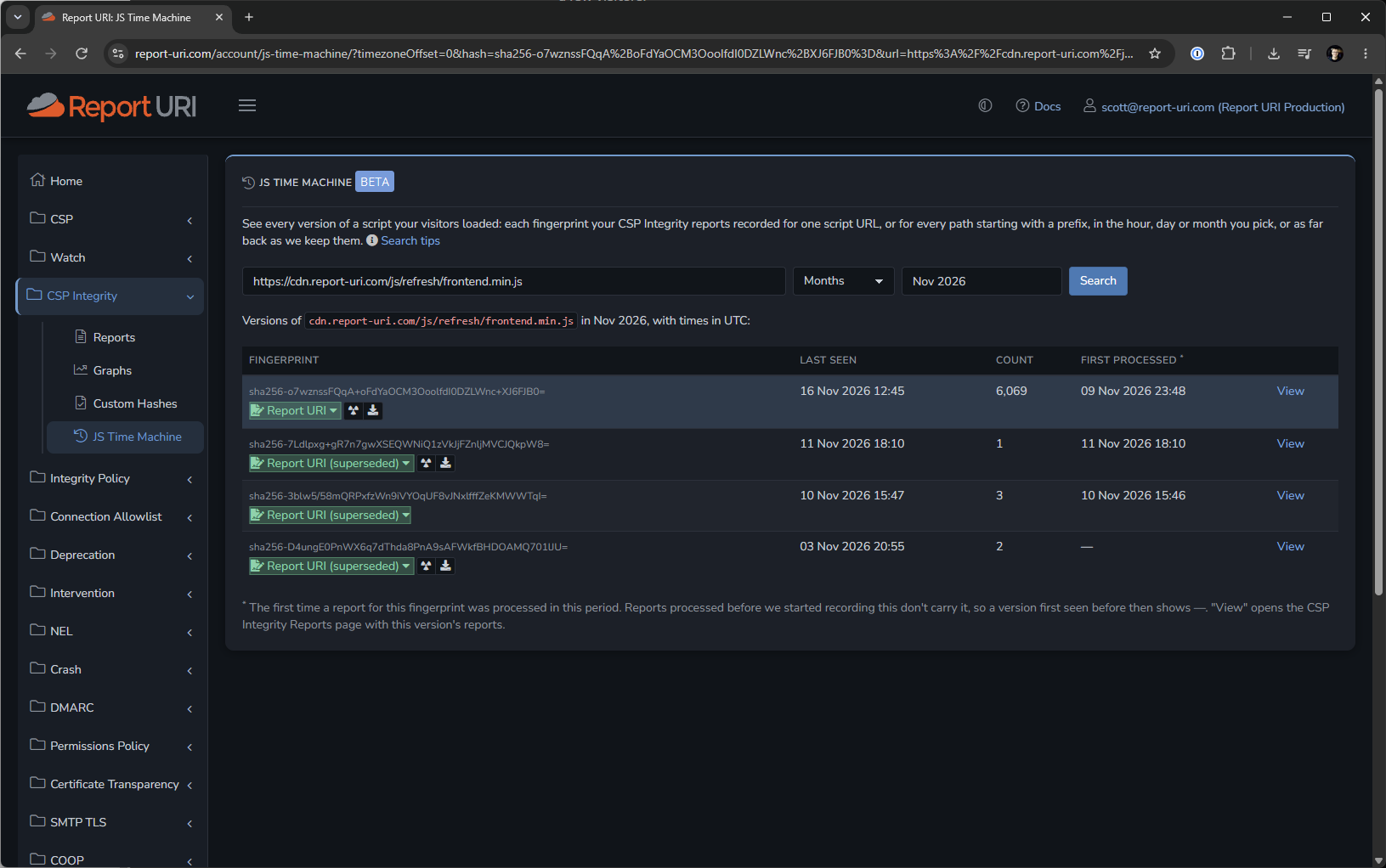
It's probably more interesting to look at an external file, though, so here is the Cloudflare Insights JS file that is injected dynamically into our website.
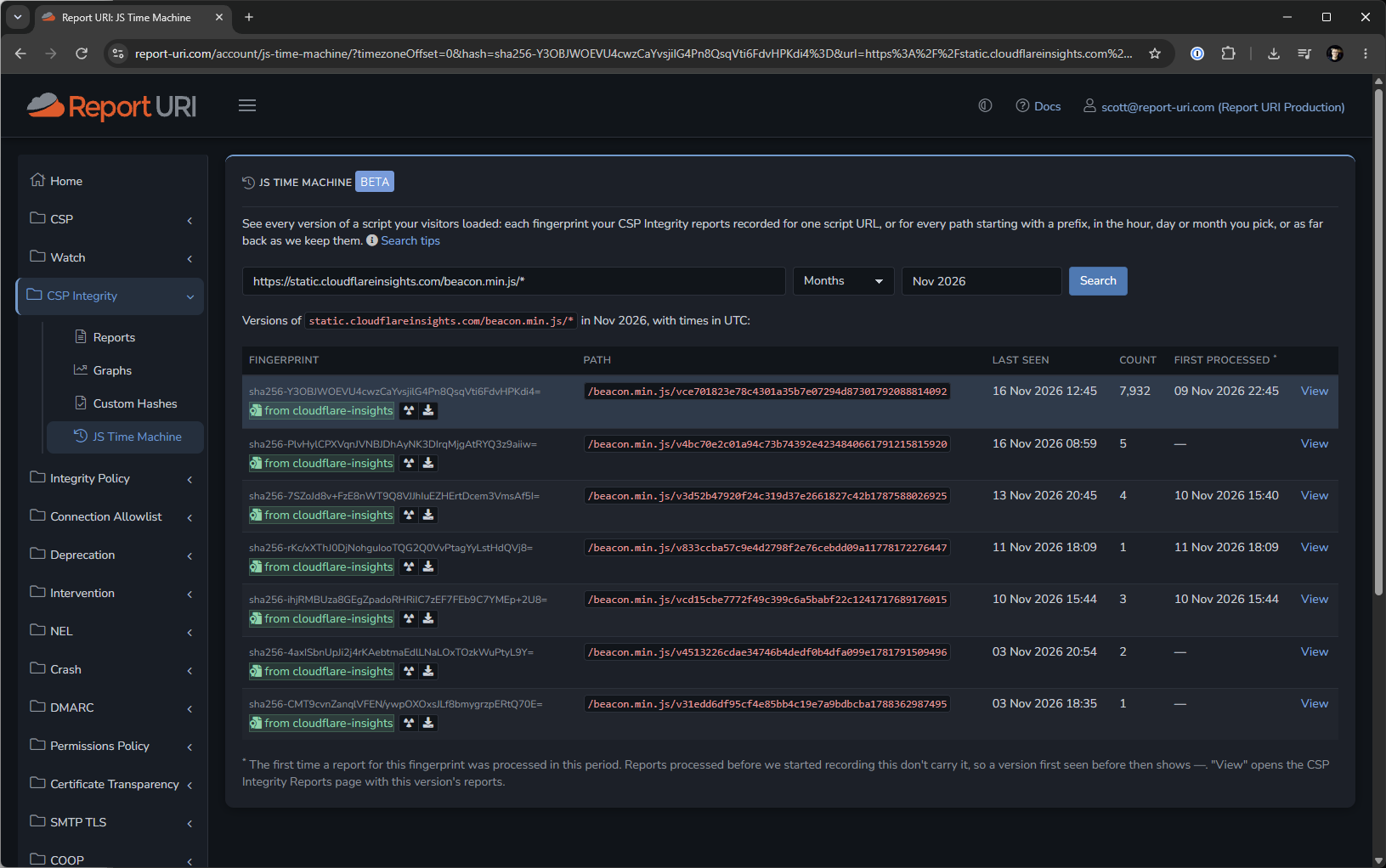
As you can see, there are different versions of the file recorded, with each recorded along with the time window that it was observed. You'll also note that the Cloudflare Insights script has a dynamic path component, which I've searched with the wildcard operator, allowing me to view multiple versions of the file in the history.
Imagine discovering that a third-party JavaScript provider had been compromised. You know the script is running on your website today, but how do you establish whether your visitors were served the compromised version last Tuesday? With the JS Time Machine, you can look back at the versions observed during that period and examine the code to help determine whether your site was affected.
This is an incredibly powerful feature because it gives you the ability to know exactly what script was being served to your visitors, and therefore, exactly what code was running on your site.
Try it on your site now
If you'd like to see the JS Time Machine in action, and you've already been sending CSP Integrity reports, then you can head over to your dashboard right now and see it in action here: JS Time Machine.
If you haven't got CSP Integrity deployed on your site yet then you can get started and it shouldn't take more than a minute or two, you only need to add 2 HTTP headers to your site. See our docs for more details.
If you've never tried Report URI then our 30-day free trial requires no credit card and gives access to all of our features, including CSP Integrity and the JS Time Machine.