Connection Allowlist: an egress firewall for the browser


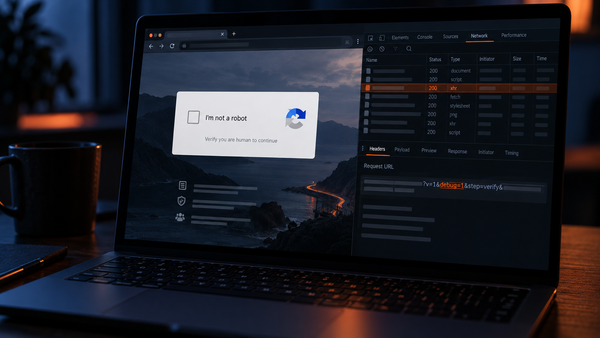
Until now, malicious code running in a browser has had several ways to send data somewhere it shouldn’t, including new channels that CSP cannot fully cover and channels that do not even appear in the Network tab in Developer Tools.
Chrome 152 changes that.
Connection Allowlist is effectively an egress firewall built right into the browser. You define the destinations your application is permitted to contact, and the browser refuses everything else before the connection is even opened.
Report URI supports Connection Allowlist from day one, on every account and every plan.
What it actually does
You send a header:
Connection-Allowlist: (response-origin "https://api.example.com/v1/*"); report-to=default
If malicious or compromised JavaScript tries to skim payment data, disclose a visitor’s IP address over WebRTC, follow a redirect to an unapproved destination or use another unexpected connection channel, the browser can stop it at the source, and Report URI can show you exactly what happened.
"Isn't this just connect-src?"
Connection Allowlist goes far beyond connect-src, giving you more powerful capabilities that extend beyond the reach of the DOM.
A CSP connect-src directive restricts where your page can send data, and for many conventional skimming scenarios, the two controls can produce a similar outcome. Here are some ways that Connection Allowlist is more powerful:
- WebRTC in particular has been a well-known way to move data out of a page while the Network tab stays quiet. Connection Allowlist blocks WebRTC by default — you have to write
webrtc=allowto get it back. - Permit an origin under
connect-srcand a redirect from that origin to somewhere else is followed. Connection Allowlist blocks redirects to unlisted destinations by default, which closes the obvious way around any list. - Connection Allowlist operates at the browser’s connection layer rather than being limited to the request types governed by CSP. That gives it coverage over channels such as WebRTC and navigation that sit outside
connect-src.
Detection and prevention
If you already use Data Watch, deploying a Connection Allowlist is a natural next step.
Data Watch gives you visibility: it learns where your pages send data and alerts you when a new destination appears. It continues to work across browsers, including those that do not yet support Connection Allowlist.
Connection Allowlist adds wider coverage. Once you have confirmed the destinations your application genuinely needs, supporting browsers can refuse connections to everything else—including exfiltration channels that were previously difficult to monitor or control.
Used together, they provide the strongest coverage: Data Watch helps you discover and maintain the correct policy, while Connection Allowlist enforces it in the browser.
Start in report-only
The same advice as every other header we support, for the same reason:
Connection-Allowlist-Report-Only: (response-origin "https://api.example.com/v1/*"); report-to=default
Report-only never refuses anything. The browser evaluates your list, tells you what it would have refused, and allows every connection as normal. The reports become your inventory, the destinations you expected, the ones you had forgotten about, and, occasionally, the ones that should not be there at all...
A run that turns up nothing is a perfectly good result. It means your list is already right.
We sample these reports at 10% by default, because a new browser feature with an incomplete list can produce a very large number of reports very quickly. You can change that on the Filters page in either direction.
See it stop real exfiltration techniques
We’ve built four interactive demonstrations, each with protected and unprotected modes. You can switch the protection on and off and see exactly what the browser blocks:
- Skimmer exfiltration - watch stolen data leave the page, then stop it.
- Path-level enforcement - allow one API path while refusing another on the same host.
- WebRTC address discovery - see a connection channel that may remain invisible in the Network tab.
- Redirect laundering - see why approving the first destination is not enough.
Try the interactive Connection Allowlist demos →
You will need Chrome 152 or later. It is a Chromium feature for now; other browsers will follow with support soon.
See where your site is sending customer data
Connection Allowlist support is available now on every Report URI plan. Start a free 30-day trial to discover where your pages are sending data, build your allowlist safely in report-only mode, and see what the browser would block before enforcing anything.